
You run docker run -d -p 8080:80 nginx and 200 milliseconds later, a fully isolated web server is running with its own IP, filesystem, and process tree. Feels like magic.
It's not. Docker didn't invent containerization. It built a clean UX on top of Linux kernel features that have existed for decades. The kernel is doing all the actual work.
If you haven't read VMs vs. Containers yet, start there. It covers the conceptual foundation. This post goes a level deeper into how the kernel actually builds that isolation.
1. The macOS / Windows Problem
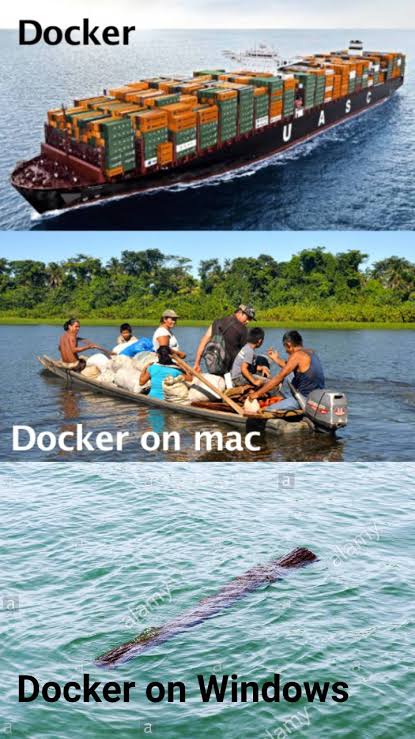
Here's something a lot of engineers don't realize: Docker can't run natively on macOS or Windows.
Linux containers need a Linux kernel. They rely entirely on namespaces, cgroups, and seccomp. macOS runs the XNU kernel. Windows runs Windows NT. Neither has those primitives natively.
So when you use Docker Desktop or OrbStack on a Mac, you're not actually running containers on macOS. You're running them inside a hidden Linux VM that boots silently in the background.
+-----------------------------------------------------------------+
|                         HOST OS (macOS / Windows)               |
|  +--------------------+                                         |
|  | docker CLI (Client) |                                         |
|  +---------+----------+                                         |
|            | Unix Socket / TCP                                  |
|            v                                                    |
|  +-----------------------------------------------------------+  |
|  | LIGHTWEIGHT LINUX VM (HyperKit / Apple Virt / WSL2)       |  |
|  |  +-----------------------------------------------------+  |  |
|  |  | Docker Daemon (dockerd)                             |  |  |
|  |  |  +-----------------------------------------------+ |  |  |
|  |  |  | Linux Kernel (Namespaces + Cgroups + OverlayFS)| |  |  |
|  |  |  +-----------------------------------------------+ |  |  |
|  |  +-----------------------------------------------------+  |  |
|  +-----------------------------------------------------------+  |
+-----------------------------------------------------------------+
On macOS, Docker uses Apple's Virtualization.framework (or the older HyperKit / QEMU) to boot a lightweight Linux kernel in under a second. On Windows it uses WSL2, which is a real Linux kernel inside a utility VM managed by Hyper-V.
The docker CLI on your Mac is just a REST client. When you type docker run, it serializes that into an HTTP request and sends it over a Unix socket to dockerd running inside the VM. Your terminal is a remote control. The VM is doing everything.
2. The Runtime Stack
When dockerd gets a request to start a container, it doesn't actually start the container itself. It hands the job off through a chain of components defined by the Open Container Initiative (OCI) spec:
[ docker CLI ]
│  (HTTP / Unix Socket)
▼
[ dockerd (Docker Daemon) ]
│  (gRPC)
▼
[ containerd ]
│  (Executes runc binary)
▼
[ containerd-shim ] ──► [ runc ]
│  (Configures Syscalls & Exits)
▼
[ Isolated Container Process ]
- docker CLI: parses your flags, sends a gRPC request to the daemon.
- dockerd: manages the high-level stuff. Image builds, REST endpoints, auth, volumes. Forwards the actual container start to
containerd. - containerd: lightweight runtime, now a CNCF project independent of Docker. Handles container lifecycle, image pulls, snapshot management.
- containerd-shim: a tiny process spawned per container. Acts as the container's parent so if
dockerdorcontainerdcrashes and restarts, your containers keep running. - runc: the thing that actually talks to the Linux kernel. Configures namespaces and cgroups, starts the process, then immediately exits. Match starter, not a manager.
3. The Kernel Primitives
This is where the actual isolation happens. Once runc hits the kernel, it uses three things:
Namespaces
Namespaces control what a process can see. Create a process inside a namespace and it gets a completely private view of the machine. It genuinely thinks it owns everything.
Six namespaces Docker uses:
- PID: isolates the process tree. Your app thinks it's PID 1. On the host it might be PID 49821.
- NET: gives the process its own network stack. Loopback, IP routing, iptables, veth pairs.
- MNT: isolates filesystem mount points. The container can't see the host's root filesystem.
- IPC: blocks access to shared memory segments of other containers or the host.
- UTS: lets the container have its own hostname, independent of the host.
- USER: maps root (
UID 0) inside the container to a non-privileged user on the host. The process thinks it's root. It's not.
cgroups
Namespaces handle visibility. cgroups handle consumption: what a process can actually use.
Without cgroups, one bad container could eat 100% of the host's RAM and CPU and take down everything else running alongside it. cgroups prevent that.
--cpus="1.5"tells cgroups to cap the container at 150ms of CPU per 100ms window.--memory="512m"caps RSS. Exceed it and the Linux OOM killer steps in and terminates the container process.
OverlayFS and pivot_root
How does a container get its own filesystem without copying gigabytes of OS files per container?
OverlayFS is a union filesystem. It stacks read-only image layers with a thin writable container layer on top. Read a file and it pulls from the image layer. Write a file and Copy-on-Write kicks in. The file gets copied up to the writable layer before the change lands. That's why base image layers are shared across containers and only the diffs take up space.
Once the OverlayFS mount is assembled, runc calls pivot_root. That's a syscall that swaps the host's root / with the container's directory. After that the process literally cannot navigate back to the host filesystem. The escape hatch gets welded shut.
Why This Mattered
Before Docker, doing any of this manually meant scripting LXC primitives, configuring chroot jails, writing cgroup rules by hand, and stitching together network bridges with custom scripts.
Docker's real contribution wasn't the container technology. It was the Dockerfile format, the image registry model, and a CLI that compressed all of this kernel complexity into:
docker run -d nginxThat's thousands of lines of syscall configuration abstracted into four words.
If you want to see these primitives in practice, Production Docker and Docker Compose cover that ground. If you want to go all the way to the kernel itself, the man pages for namespaces and cgroups are worth bookmarking.